Typing on a laptop for long hours can sometimes feel uncomfortable, especially if you work, study, or attend online meetings every day. A good wireless keyboard not only provides a more comfortable typing experience but also helps create a clean, cable-free workspace.
Whether you’re a student, office professional, programmer, content creator, or someone who simply wants a better typing experience, choosing the right wireless keyboard can improve your productivity and comfort.
With so many options available, selecting the right keyboard can be confusing. Some models focus on portability, while others offer better battery life, silent typing, multi-device connectivity, or ergonomic designs.
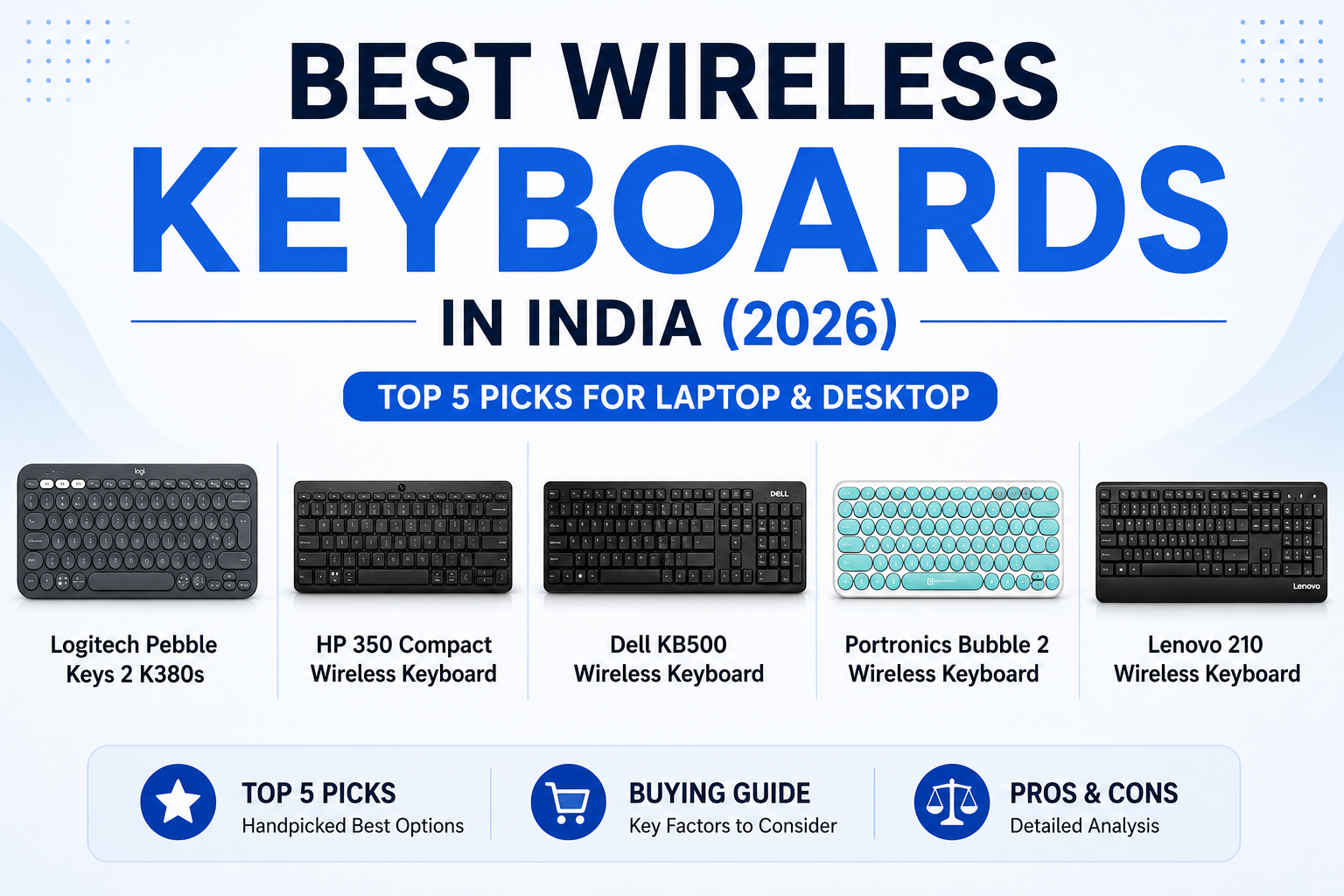
To make your decision easier, we researched and compared the best wireless keyboards for laptops in India based on typing comfort, connectivity, battery life, compatibility, customer reviews, build quality, and overall value for money.
In this guide, you’ll find detailed product reviews, a comparison table, pros and cons, and a buying guide to help you choose the perfect wireless keyboard for your needs.
Quick Comparison Table
| Product | Connectivity | Battery Life | Best For | Rating |
|---|---|---|---|---|
| Logitech Pebble Keys 2 K380s | Bluetooth | Up to 3 Years | ⭐ Best Overall | ⭐⭐⭐⭐⭐ |
| HP 350 Compact Wireless Keyboard | 2.4 GHz Wireless | Up to 16 Months | Best Value | ⭐⭐⭐⭐☆ |
| Dell KB500 Wireless Keyboard | 2.4 GHz Wireless | Up to 36 Months | Office Work | ⭐⭐⭐⭐☆ |
| Portronics Bubble 2 Wireless Keyboard | Bluetooth | Rechargeable | Budget Choice | ⭐⭐⭐⭐☆ |
| Lenovo 210 Wireless Keyboard | 2.4 GHz Wireless | Long Battery Life | Daily Use | ⭐⭐⭐⭐☆ |
⭐ Overall Best Choice
Logitech Pebble Keys 2 K380s
If you’re looking for the best wireless keyboard for your laptop, the Logitech Pebble Keys 2 K380s is our top recommendation. It combines a stylish and compact design with comfortable typing, reliable Bluetooth connectivity, quiet keys, and the ability to connect to multiple devices. Its excellent battery life and premium build quality make it suitable for students, professionals, and work-from-home users.
Best For
- Students
- Office professionals
- Work-from-home users
- Tablet users
- Everyday productivity
1. Logitech Pebble Keys 2 K380s
Overview
The Logitech Pebble Keys 2 K380s is a compact Bluetooth keyboard designed for users who want a comfortable typing experience without occupying extra desk space. It supports multiple operating systems and can connect to several devices, allowing you to switch between your laptop, tablet, or smartphone with ease. Its quiet keys and lightweight design make it an excellent choice for both home and office use.
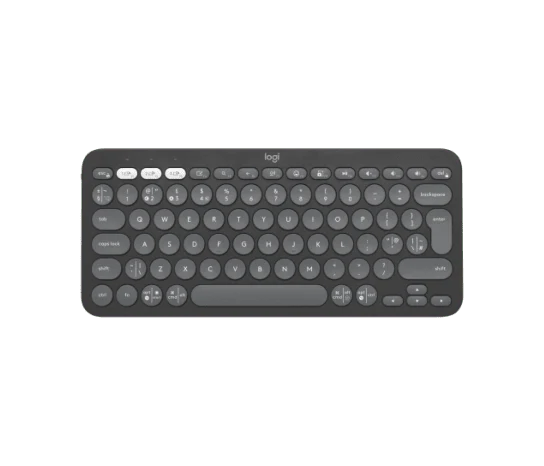
✅ Bluetooth connectivity
✅ Connect up to 3 devices
✅ Slim & portable design
✅ Up to 3-year battery life
✅ Compatible with Windows, macOS & ChromeOS
✅ Easy-Switch buttons
Specifications
| Feature | Details |
|---|---|
| Connectivity | Bluetooth |
| Battery Life | Up to 3 Years |
| Compatible Devices | Windows, macOS, Android, ChromeOS, iPadOS |
| Keyboard Type | Compact |
| Weight | Lightweight |
Why We Recommend It
The Logitech Pebble Keys 2 K380s offers the perfect balance between portability, comfort, and performance. If you frequently switch between devices or need a reliable keyboard for daily productivity, this keyboard is one of the best choices available.
2. HP 350 Compact Wireless Keyboard
Overview
The HP 350 Compact Wireless Keyboard is an excellent option for users who need a reliable wireless keyboard at an affordable price. It features a compact layout, comfortable keys, and a stable 2.4 GHz wireless connection using a USB receiver. Its long battery life and simple plug-and-play setup make it ideal for office work, online classes, and everyday computing.
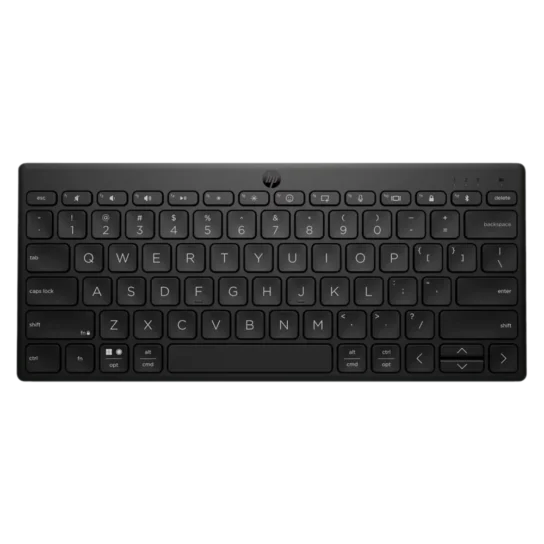
✅ Compact and lightweight design
✅ Comfortable low-profile keys
✅ Plug-and-play USB receiver
✅ 2.4 GHz wireless connectivity
✅ Up to 16 months battery life
✅ Compatible with Windows and macOS
Specifications
| Feature | Details |
|---|---|
| Connectivity | 2.4 GHz Wireless |
| Battery Life | Up to 16 Months |
| Compatibility | Windows, macOS |
| Keyboard Type | Compact |
Why We Recommend It
If you’re looking for a budget-friendly wireless keyboard without compromising on typing comfort, the HP 350 Compact Wireless Keyboard is an excellent choice. It’s ideal for students, office workers, and anyone who wants a dependable keyboard for daily use.
3. Dell KB500 Wireless Keyboard
Overview
The Dell KB500 Wireless Keyboard is designed for users who need a comfortable and reliable keyboard for everyday productivity. Its full-size layout, wireless connectivity, and long battery life make it an excellent choice for office work, home use, and business professionals.
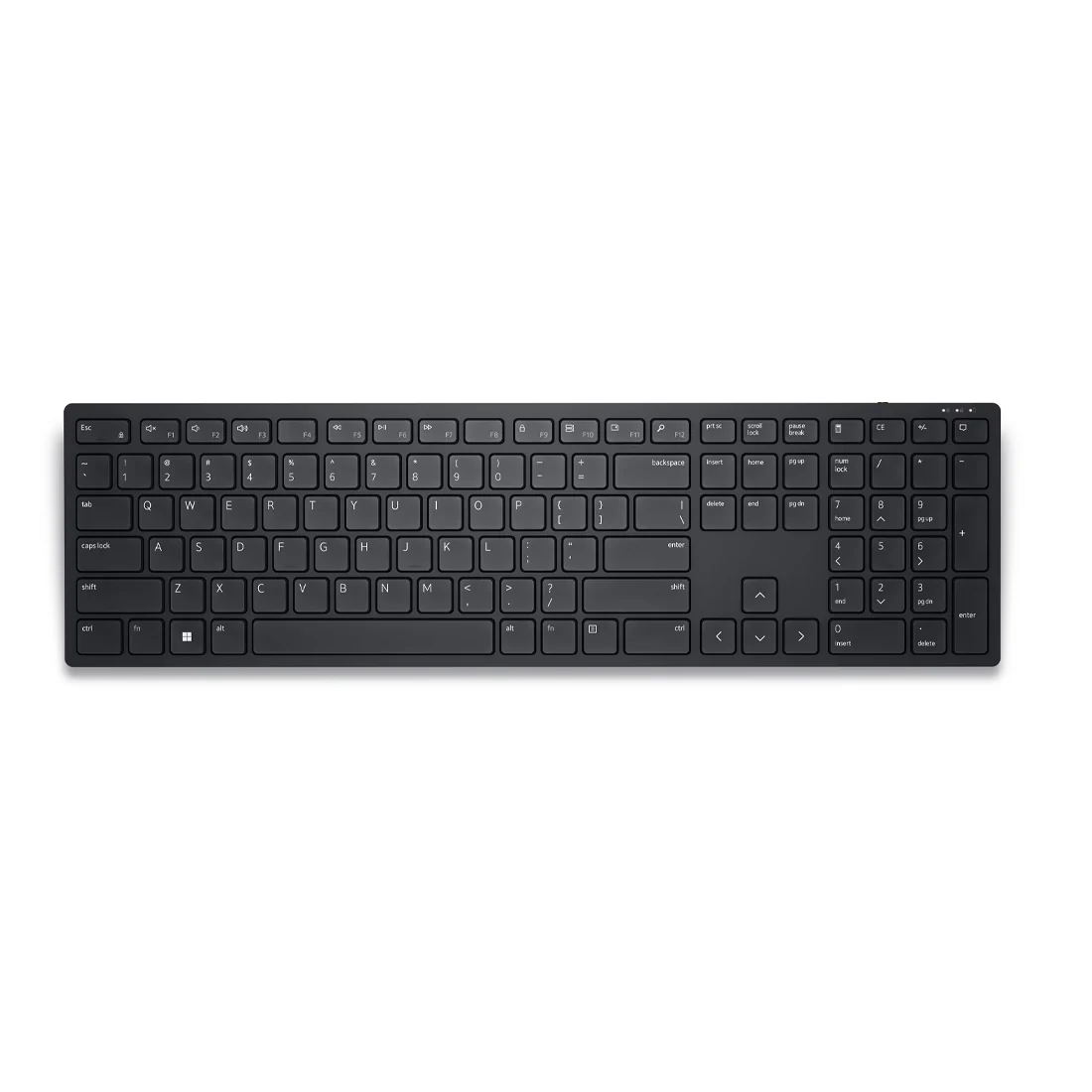
✅2.4 GHz wireless connectivity
✅Full-size keyboard layout
✅Comfortable low-profile keys
✅Long battery life
✅Plug-and-play USB receiver
✅Compatible with Windows
Specifications
| Feature | Details |
|---|---|
| Connectivity | 2.4 GHz Wireless |
| Battery Life | Up to 36 Months |
| Compatibility | Windows |
| Keyboard Type | Full Size |
Why We Recommend It
The Dell KB500 is perfect for office users who prefer a full-size keyboard with reliable wireless performance. It offers comfortable typing and excellent battery life for long working hours.
4. Portronics Bubble 2 Wireless Keyboard
Overview
The Portronics Bubble 2 Wireless Keyboard is a stylish and affordable Bluetooth keyboard designed for students, casual users, and professionals. Its lightweight design, rechargeable battery, and quiet keys make it a great option for everyday typing.
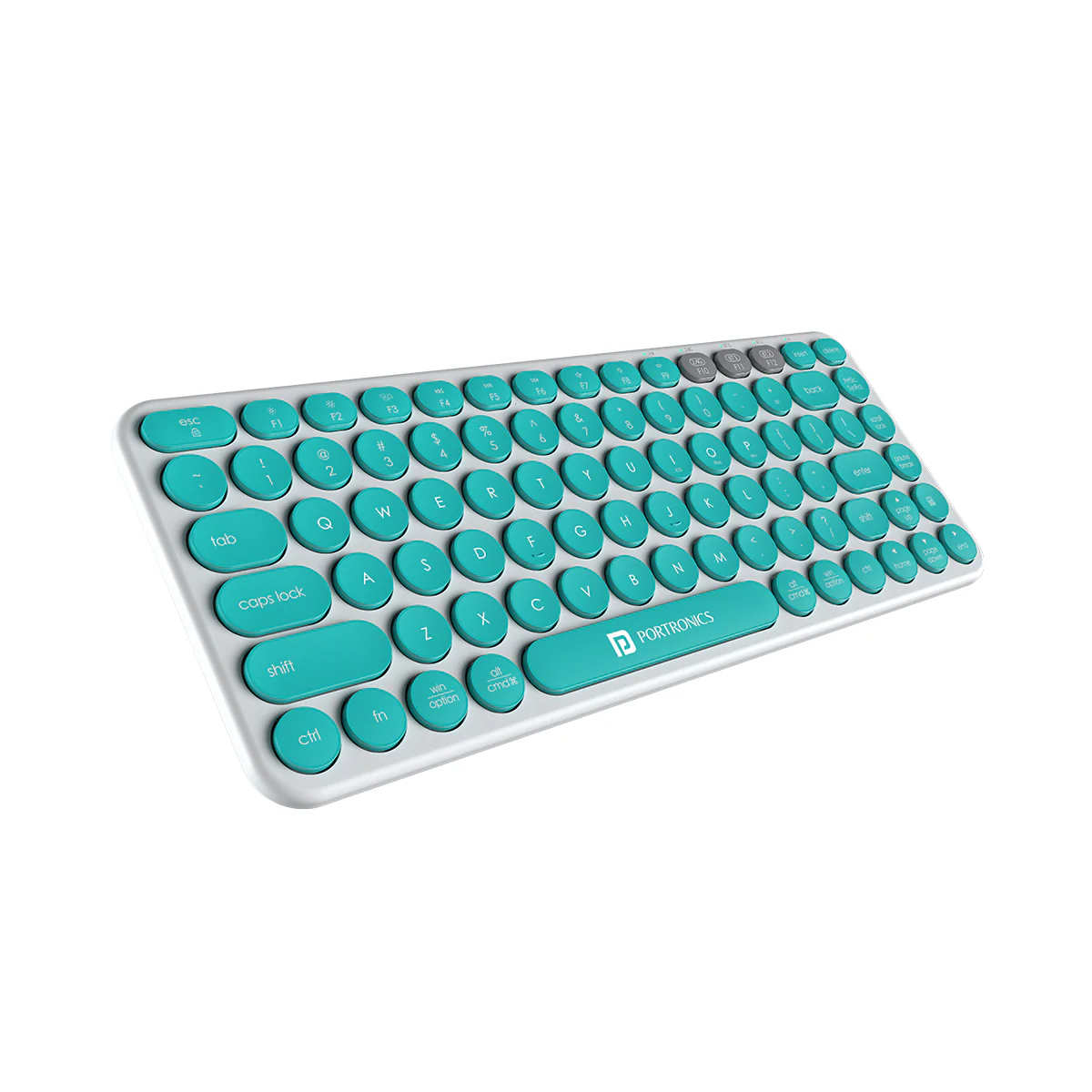
✅Bluetooth connectivity
✅Rechargeable battery
✅Compact design
✅Quiet keys
✅Lightweight and portable
✅Compatible with Windows, macOS, Android, and iPadOS
Specifications
| Feature | Details |
|---|---|
| Connectivity | Bluetooth |
| Battery | Rechargeable |
| Compatibility | Windows, macOS, Android, iPadOS |
| Keyboard Type | Compact |
Why We Recommend It
If you’re looking for an affordable Bluetooth keyboard with modern features and portability, the Portronics Bubble 2 offers excellent value for money.
5. Lenovo 210 Wireless Keyboard
Overview
The Lenovo 210 Wireless Keyboard is a dependable keyboard designed for everyday use. It offers a comfortable typing experience, a stable 2.4 GHz wireless connection, and a durable build, making it suitable for students, office users, and home users.
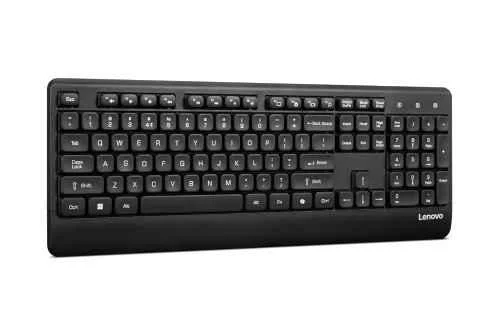
✅2.4 GHz wireless connectivity
✅Full-size keyboard
✅Comfortable key travel
✅Long battery life
✅Plug-and-play USB receiver
✅Durable design
Specifications
| Feature | Details |
|---|---|
| Connectivity | 2.4 GHz Wireless |
| Battery Life | Long-lasting |
| Compatibility | Windows |
| Keyboard Type | Full Size |
Why We Recommend It
The Lenovo 210 Wireless Keyboard is a reliable option for users who need a simple, durable, and comfortable keyboard for daily work and study. It offers good performance at an affordable price.
Buying Guide
How to Choose the Best Wireless Keyboard for Laptop
Buying a wireless keyboard may seem simple, but choosing the right one depends on your work style and daily usage. Before making your purchase, consider the following factors.
1. Connectivity
Wireless keyboards generally come with Bluetooth or a 2.4 GHz USB receiver.
- Bluetooth keyboards are ideal if you want to save your laptop’s USB ports.
- 2.4 GHz Wireless keyboards provide a stable connection using a USB receiver.
Choose the one that best suits your device and preferences.
2. Battery Life
A longer battery life means less frequent battery replacement or charging.
- Battery-powered keyboards can last from several months to years.
- Rechargeable keyboards eliminate the need for disposable batteries.
3. Typing Comfort
Comfortable keys are important if you type for long hours. Look for keyboards with well-spaced keys, smooth key travel, and a comfortable typing angle.
4. Keyboard Size
Choose the keyboard size based on your needs.
- Compact keyboards are lightweight and easy to carry.
- Full-size keyboards include a number pad, making them suitable for office work and data entry.
5. Compatibility
Always check whether the keyboard supports your operating system.
Most modern wireless keyboards work with:
- Windows
- macOS
- ChromeOS
- Android
- iPadOS
6. Build Quality
A sturdy keyboard lasts longer and provides a better typing experience. Well-known brands like Logitech, Dell, HP, Lenovo, and Portronics generally offer reliable quality.
Frequently Asked Questions (FAQs)
Which is the best wireless keyboard for a laptop?
The Logitech Pebble Keys 2 K380s is our top recommendation because of its compact design, quiet keys, multi-device support, and excellent battery life.
Is a Bluetooth keyboard better than a USB wireless keyboard?
Both have advantages. Bluetooth keyboards don’t require a USB receiver, while 2.4 GHz wireless keyboards usually provide a stable connection with minimal setup.
Can I use a wireless keyboard with a tablet?
Yes. Many Bluetooth wireless keyboards are compatible with tablets, smartphones, and laptops.
How long does a wireless keyboard battery last?
Battery life depends on the model. Most wireless keyboards offer between 12 months and 3 years of battery life, while rechargeable models can last several weeks on a single charge.
Are wireless keyboards good for office work?
Yes. Wireless keyboards provide a clean workspace, comfortable typing, and reliable performance, making them ideal for office work, online classes, and remote working.
Final Verdict
Choosing the best wireless keyboard for laptop depends on your budget and requirements.
If you want the best overall experience, the Logitech Pebble Keys 2 K380s is an excellent choice with premium features and multi-device connectivity.
For users looking for great value, the HP 350 Compact Wireless Keyboard offers reliable performance at an affordable price.
If you prefer a full-size keyboard for office work, the Dell KB500 Wireless Keyboard is a dependable option.
Budget-conscious buyers can consider the Portronics Bubble 2 Wireless Keyboard, while the Lenovo 210 Wireless Keyboard is a solid everyday choice with reliable performance.
We hope this guide helps you choose the perfect wireless keyboard for your laptop. Compare the features, select the one that best fits your needs, and enjoy a more comfortable typing experience.
Related Articles
👉 Best Wireless Mouse for Laptop in India (2026): Top 5 Picks
👉 Best Laptop Stand for Table in India (2026): Top 3 Reviews