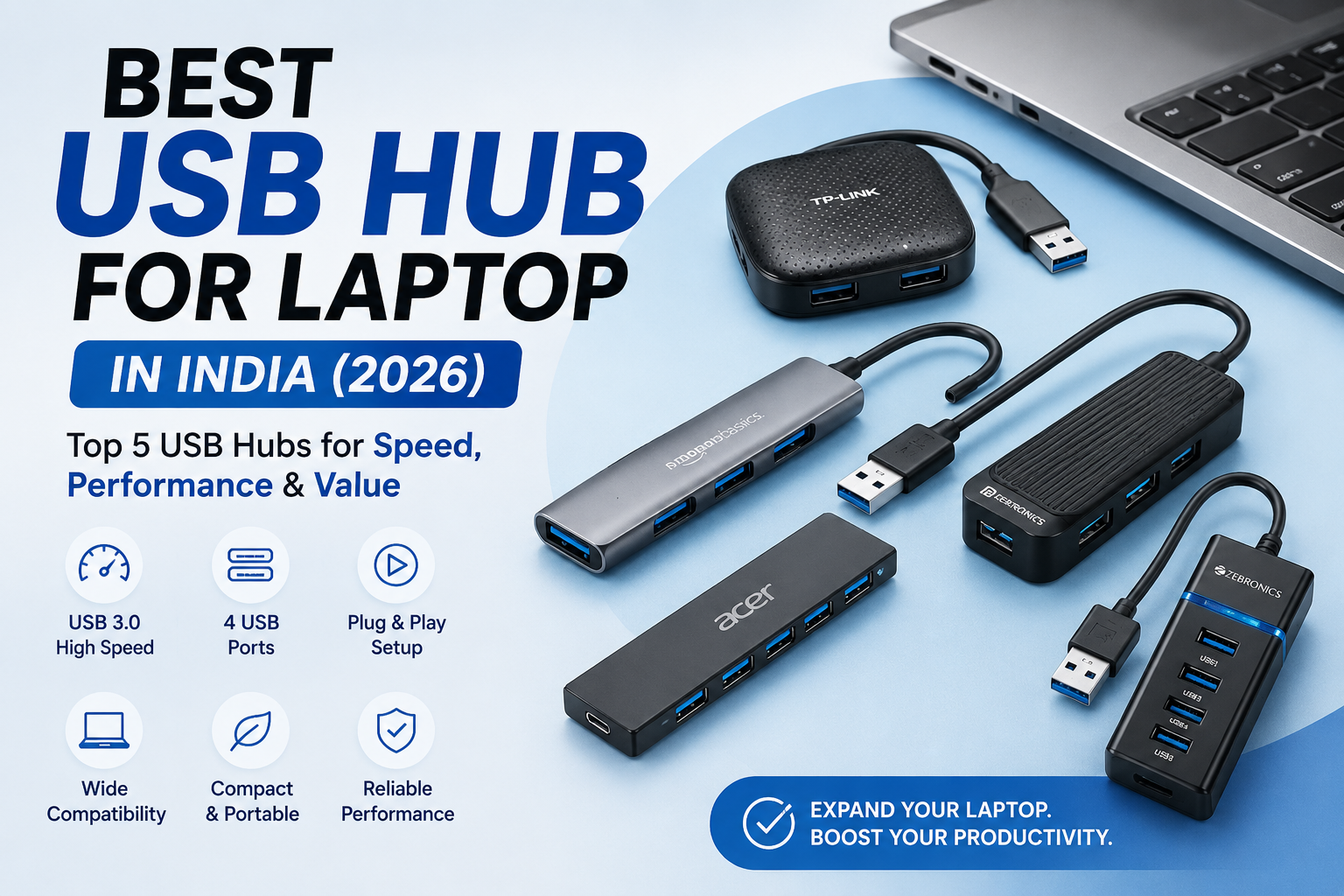
Modern laptops are becoming thinner and more portable; however, they often come with fewer USB ports. As a result, connecting a wireless mouse, keyboard, pen drive, external hard drive, or other USB devices can become difficult. Therefore, a USB hub is an essential accessory for expanding your laptop’s connectivity.
A USB hub allows you to connect multiple devices at the same time without constantly plugging and unplugging cables. Moreover, it helps keep your workspace organized and improves convenience. Whether you’re a student, professional, gamer, or content creator, the right USB hub can significantly improve your productivity.
In this article, we’ve carefully selected the best USB hubs for laptops in India based on build quality, data transfer speed, compatibility, customer reviews, and overall value for money. Additionally, we’ve compared their key features, pros, cons, and specifications to help you choose the best USB hub for your needs.
Quick Comparison Table
| Product | Ports | USB Version / Speed | Best For |
|---|---|---|---|
| TP-Link UH400 USB Hub | 4 USB ports | USB 3.0 / Up to 5 Gbps | Best Overall |
| Portronics Mport 4D USB Hub Dock | 4 USB ports | USB 2.0 / Up to 480 Mbps | Best Budget Choice |
| Amazon Basics 4-Port USB Hub | 4 USB ports | USB 3.0 / Up to 5 Gbps | Everyday Use |
| Acer 4-in-1 USB Hub | 4 USB ports | USB 3.0 / Up to 5 Gbps | Multiple USB Devices |
| Zebronics 300HB USB Hub | 4 USB ports | USB 3.0 / Up to 5 Gbps | Best Value |
Why Should You Buy a USB Hub?
If your laptop has limited USB ports, a USB hub makes it easy to connect multiple accessories without repeatedly unplugging devices. Additionally, it helps keep your workspace organized and improves your productivity.
Benefits of a USB Hub
- Connect multiple USB devices simultaneously
- High-speed data transfer
- Plug-and-play installation
- Compact and lightweight design
- Compatible with Windows, macOS, and Linux
- Ideal for laptops, desktops, and tablets
- Perfect for office work, online classes, and gaming
1. TP-Link UH400 USB Hub
Overview
The TP-Link UH400 USB Hub is one of the best USB hubs for laptops thanks to its reliable performance, compact design, and fast USB 3.0 data transfer speeds. Moreover, it adds four USB ports to your laptop, making it easy to connect devices like a mouse, keyboard, external hard drive, printer, and flash drive at the same time.
Its lightweight design and foldable built-in cable make it convenient to carry while travelling. As a result, it’s an excellent choice for students, professionals, and everyday laptop users.
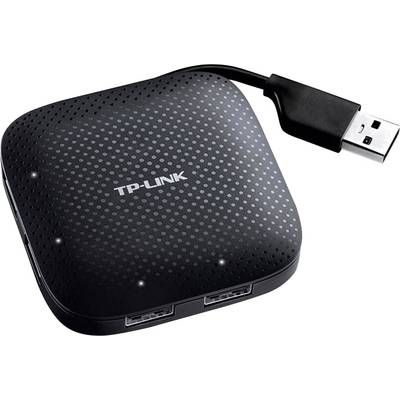
✅USB 3.0 high-speed data transfer
✅4 USB ports for multiple devices
✅Compact and lightweight design
✅Foldable built-in cable
✅Plug-and-play installation
✅Backward compatible with USB 2.0 & USB 1.1
✅Compatible with Windows, macOS, Linux, and ChromeOS
Specifications
| Feature | Details |
|---|---|
| Brand | TP-Link |
| Model | UH400 |
| Ports | 4 USB Ports |
| USB Version | USB 3.0 |
| Data Transfer Speed | Up to 5 Gbps |
| Cable Type | Foldable Built-in Cable |
| Compatibility | Windows, macOS, Linux, ChromeOS |
| Best For | Office, Students & Everyday Use |
2. Portronics Mport 4D USB Hub Dock (4-in-1)
Overview
The Portronics Mport 4D USB Hub Dock (4-in-1) is an affordable USB hub designed for users who need additional USB ports for everyday tasks. It comes with four USB ports, a long cable, and a compact design that is easy to carry.
With data transfer speeds of up to 480 Mbps, it is ideal for connecting a mouse, keyboard, USB flash drive, printer, and other basic USB devices. Therefore, it is a great choice for budget-conscious buyers.
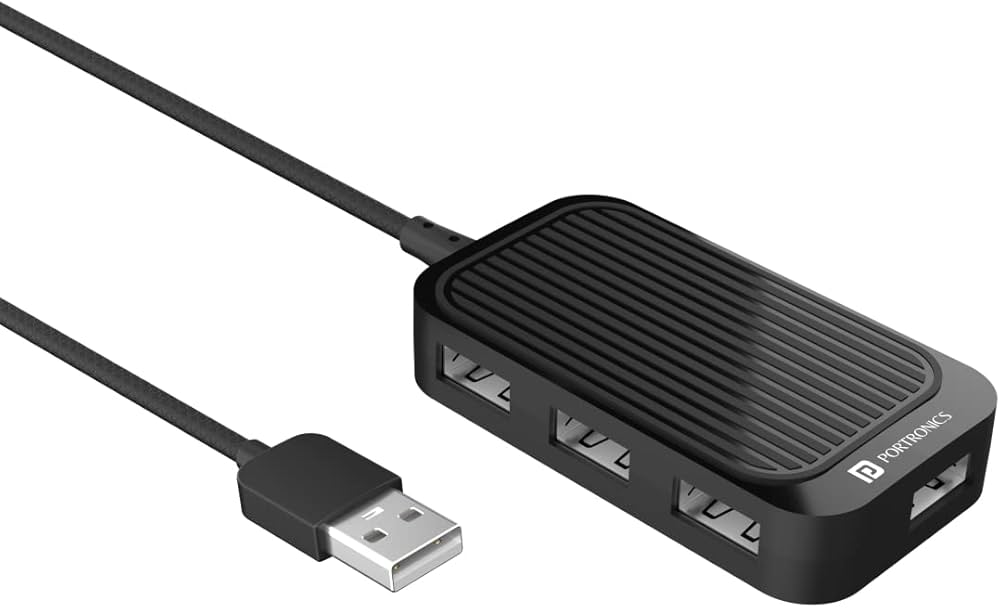
✅4 USB ports
✅Up to 480 Mbps data transfer speed
✅Long USB cable
✅Plug-and-play setup
✅Compact and lightweight
✅Supports multiple USB devices
✅Compatible with Windows, macOS, and Linux
Specifications
| Feature | Details |
|---|---|
| Brand | Portronics |
| Model | Mport 4D |
| Ports | 4 USB Ports |
| USB Version | USB 2.0 |
| Data Transfer Speed | Up to 480 Mbps |
| Cable Length | Long Cable |
| Compatibility | Windows, macOS, Linux |
| Best For | Basic Office & Student Use |
3. Amazon Basics 4-Port USB Hub
Overview
The Amazon Basics 4-Port USB Hub is a compact and reliable USB hub designed for users who need extra USB ports for daily tasks. It features four USB 3.0 ports, allowing you to connect multiple devices such as a mouse, keyboard, flash drive, external hard drive, and printer simultaneously.
Its lightweight design and plug-and-play functionality make it an excellent choice for students, professionals, and home users. Overall, it offers excellent value for everyday use.
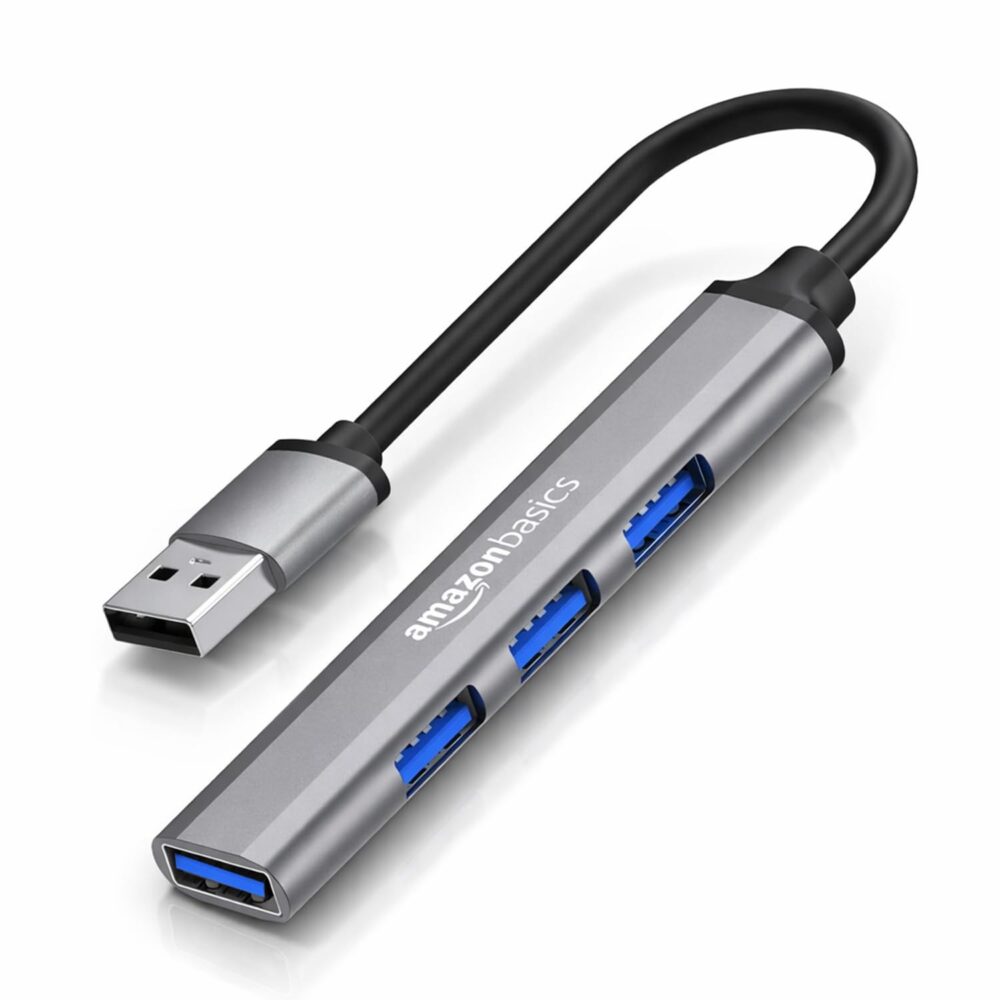
✅4 USB 3.0 ports
✅High-speed data transfer up to 5 Gbps
✅Plug-and-play installation
✅Compact and lightweight design
✅Backward compatible with USB 2.0 devices
✅Compatible with Windows, macOS, and Linux
✅Durable build quality
Specifications
| Feature | Details |
|---|---|
| Brand | Amazon Basics |
| Ports | 4 USB Ports |
| USB Version | USB 3.0 |
| Data Transfer Speed | Up to 5 Gbps |
| Connectivity | USB-A |
| Compatibility | Windows, macOS, Linux |
| Best For | Everyday Laptop Users |
4. Acer USB Hub for Laptops 4-in-1
Overview
The Acer USB Hub for Laptops 4-in-1 is a practical option for users who need additional USB ports on their laptop or PC. It provides four USB 3.0 ports for connecting keyboards, mice, flash drives, and other USB accessories.
The 2 ft (60 cm) cable gives you more flexibility when positioning the hub on your desk. As a result, it is ideal for office desks, study tables, and home workspaces.
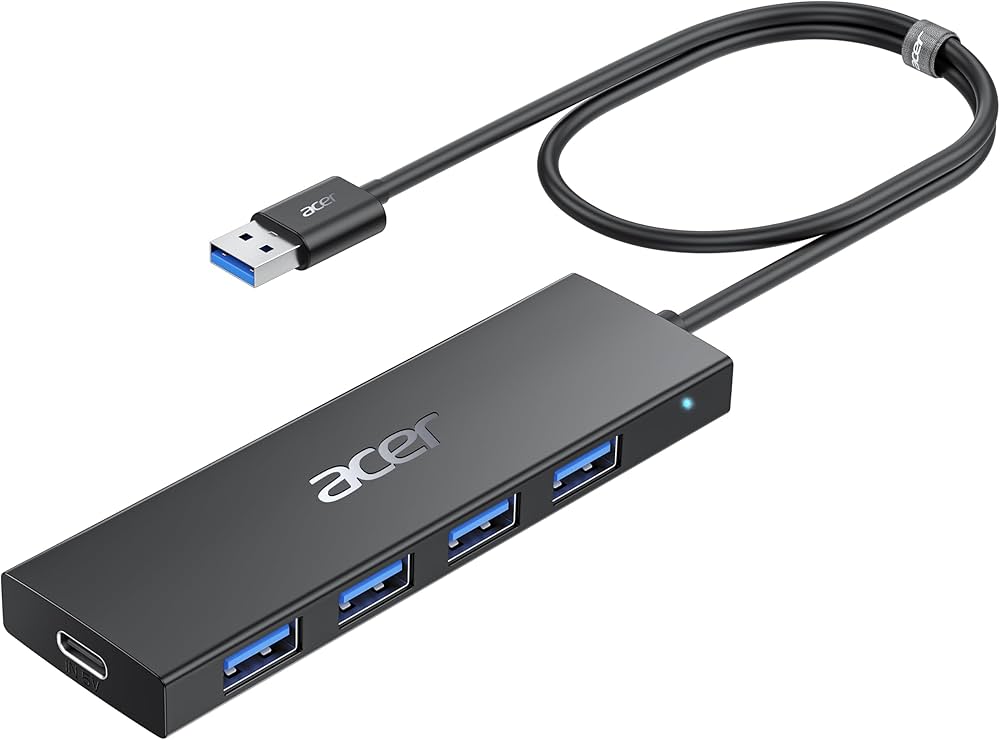
✅4 USB 3.0 ports
✅Up to 5 Gbps data transfer
✅2 ft / 60 cm cable
✅Type-A USB connection
✅Plug-and-play setup
✅Suitable for keyboard, mouse and other USB devices
✅Lightweight design
Specifications
| Feature | Details |
|---|---|
| Brand | Acer |
| Model | 4-in-1 USB Hub |
| Ports | 4 USB 3.0 Ports |
| USB Version | USB 3.0 |
| Data Transfer Speed | Up to 5 Gbps |
| Cable Length | 2 ft / 60 cm |
| Compatibility | Windows, macOS, Linux |
| Best For | Students, Office Users & Everyday Laptop Users |
5. Zebronics 300HB 4-Port USB 3.0 Hub
Overview
The Zebronics 300HB 4-Port USB 3.0 Hub is a lightweight and stylish USB hub designed for users who need additional USB ports for their laptop or desktop. It features four USB 3.0 ports, LED status indication, a 15 cm cable, and plug-and-play functionality.
With high-speed data transfer and wide compatibility, it is suitable for students, professionals, and everyday users. Overall, it provides excellent value for money.
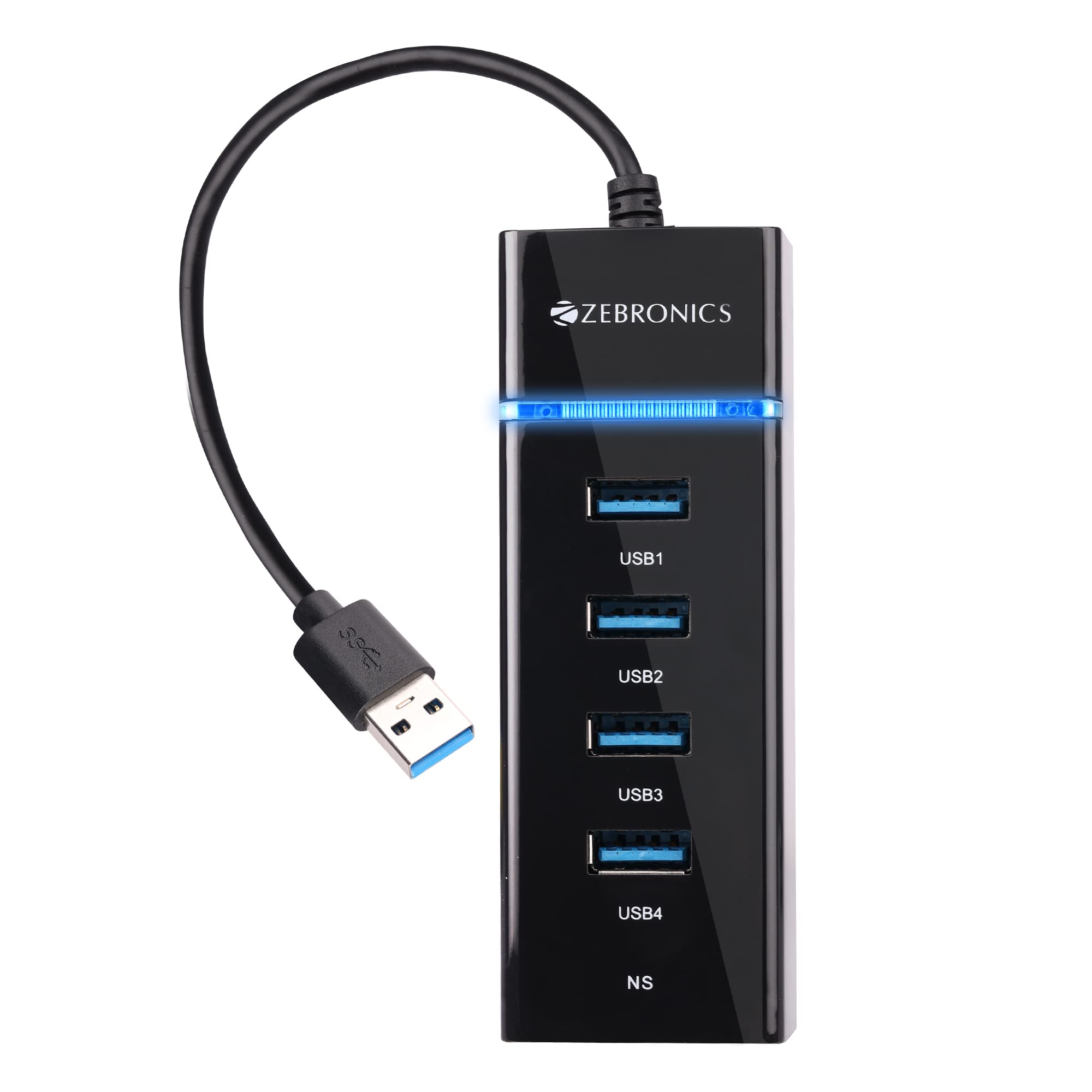
✅4 USB 3.0 ports
✅High-speed data transfer up to 5 Gbps
✅LED status indicator
✅15 cm built-in cable
✅Plug-and-play installation
✅Backward compatible with USB 2.0 devices
✅Lightweight and glossy finish
Specifications
| Feature | Details |
|---|---|
| Brand | Zebronics |
| Model | 300HB |
| Ports | 4 USB 3.0 Ports |
| USB Version | USB 3.0 |
| Data Transfer Speed | Up to 5 Gbps |
| Cable Length | 15 cm |
| Compatibility | Windows, macOS, Linux |
| Best For | Students & Everyday Users |
Buying Guide
How to Choose the Best USB Hub for Your Laptop
Before purchasing a USB hub, consider these important factors:
1. Number of USB Ports
Choose a hub with enough ports for your daily needs. A 4-port USB hub is ideal for most users.
2. USB Version
- USB 3.0 offers data transfer speeds up to 5 Gbps and is ideal for external hard drives and SSDs.
- USB 2.0 (up to 480 Mbps) is suitable for keyboards, mice, printers, and flash drives.
3. Build Quality
Choose a USB hub with a durable body and quality cable for long-lasting performance.
4. Compatibility
Ensure the hub supports your operating system, such as Windows, macOS, Linux, or ChromeOS.
5. Plug-and-Play
A plug-and-play USB hub works instantly without installing drivers.
6. Cable Length
A longer cable offers better flexibility when connecting to your laptop or desktop.
Frequently Asked Questions (FAQs)
Which is the best USB hub for a laptop?
The TP-Link UH400 USB Hub is the best overall choice due to its fast USB 3.0 speed, reliable performance, and compact design.
Is a USB 3.0 hub better than a USB 2.0 hub?
Yes. USB 3.0 hubs offer much faster data transfer speeds (up to 5 Gbps) compared to USB 2.0 hubs (up to 480 Mbps), making them ideal for transferring large files.
Can I connect multiple devices to a USB hub?
Yes. A USB hub allows you to connect multiple devices such as a keyboard, mouse, USB flash drive, printer, external hard drive, and more at the same time.
Do USB hubs work with all laptops?
Most USB hubs are compatible with Windows, macOS, Linux, and ChromeOS laptops. Just make sure your laptop has a compatible USB port.
Can a USB hub charge my phone?
Some USB hubs can charge smartphones and accessories, but charging speed depends on the hub and your laptop’s power output. For fast charging, a powered USB hub is recommended.
Final Verdict
Choosing the best USB hub depends on your budget and daily usage.
If you’re looking for the best overall USB hub, the TP-Link UH400 USB Hub is our top recommendation. It offers fast USB 3.0 speeds, reliable performance, and a compact design. It is suitable for students, professionals, and everyday laptop users.
If you’re on a budget, the Portronics Mport 4D USB Hub Dock is a great choice for connecting essential USB devices. The Amazon Basics 4-Port USB Hub provides dependable USB 3.0 performance for everyday use.
The Acer 4-in-1 USB Hub is ideal for users who prefer a longer cable for a flexible desk setup. The Zebronics 300HB USB Hub delivers excellent value with fast data transfer and plug-and-play convenience.
No matter which USB hub you choose, all five products listed above are reliable options for expanding your laptop’s connectivity. Overall, selecting the right USB hub depends on your budget, workspace, and everyday requirements.
Related Articles
👉 Best Laptop Stand for Table in India (2026): Top 3 Reviews
👉 Best Wireless Mouse for Laptop in India (2026): Top 5 Picks
👉 Best Wireless Keyboard for Laptop in India (2026): Top 5 Reviews